Ship It on AWS: Cloud Deployment for Developers
Two hands-on days from your machine to a public URL on AWS: a VPC you built, one deploy by hand on EC2 so nothing stays magic, a load balancer with real HTTPS, a managed database, then Beanstalk and ECS, a pipeline that ships on merge, and a Terraform rebuild to close.
Designed for
- Developers who have never deployed anything they built
- Engineers who deploy by copying commands from a colleague
- Anyone whose containers run beautifully everywhere except production
- Teams moving off a single virtual machine somebody set up years ago
- Fee
- ₹2,700
- Duration
- 2 days · 16 hours
- Each day
- 09:00 – 17:00
- Mode
- Offline / Online
The 2 days, hour by hour
10 hands-on sessions: every one ends in a thing
Day 1
09:00 – 17:00The machine and the network
5 sessions09:00 – 10:15
See what AWS actually rents you
accounts and IAM least privilege, regions and availability zones, console vs CLI
Takeaway An account secured with least-privilege access and MFA, root credentials locked away, and the CLI talking to it.
10:30 – 11:45
Build the VPC that will otherwise block you
public and private subnets, route tables and internet gateway, security groups
Takeaway A network where the application tier is reachable and the database tier is not, proved from both sides.
12:00 – 13:00
Deploy to a bare EC2 by hand
launching and SSH, running the app under systemd, every manual step named
Takeaway Your application served from a raw virtual machine you set up yourself, and the written list of steps that day two automates away.
14:00 – 15:15
Put a load balancer and real HTTPS in front
target groups and health checks, ACM certificates, DNS
Takeaway A public HTTPS URL on a real domain with a certificate that renews itself, and a failing health check watched taking the instance out of rotation.
15:30 – 17:00
Give it a managed database, and test the backup
RDS in the private subnet, connection pooling, restores actually tested
Takeaway A managed PostgreSQL reachable only from the application, backed up and restored to a new instance, the restore verified rather than assumed.
Day 2
09:00 – 17:00From platform to pipeline
5 sessions09:00 – 10:15
Deploy the same app on Elastic Beanstalk
what a PaaS automates, environments and configuration, where the limits bite
Takeaway The same application live in minutes, with a written list of everything Beanstalk just did that you did by hand yesterday, and where you would outgrow it.
10:30 – 11:45
Run it as a container on ECS
ECR push and tagging, Fargate services behind the ALB, reading platform logs
Takeaway Your container from the Docker lab serving traffic behind yesterday's load balancer: the path you would actually take to work.
12:00 – 13:00
Keep secrets out of images, repos and logs
Secrets Manager and Parameter Store, rotation, the leaked layer
Takeaway A planted secret found in an old image layer, removed properly, and served from a secrets manager instead.
14:00 – 15:15
Ship on merge without an outage
GitHub Actions to ECR to ECS, rolling deploys and draining, rollback as a plan
Takeaway A merge taken to production by the pipeline under continuous load with no failed request, then rolled back in under a minute, on purpose.
15:30 – 17:00
Rebuild it all as code, then read the bill
Terraform plan and apply, destroy and rebuild, the three big line items
Takeaway The whole environment destroyed and rebuilt from the take-home Terraform repository, and a monthly cost estimate you can defend line by line.
By the end of day 2, you are holding
Your own application running on a public HTTPS URL on AWS: behind a load balancer, inside a VPC you built, with a managed database, secrets outside the image and a pipeline that ships on merge, plus a take-home Terraform repository that rebuilds the whole environment, and an itemised estimate of what it costs to run each month.
No dates announced
We open batches around demand. Tell us the schedule that would work and we will let you know first.
Send your details instead
More SkillLabs
One weekend, one capability
Agent Builder Lab
₹2,700 · 2 days · 16 hours
Runs on request
See the plan
AI App Engineering Lab
₹2,700 · 2 days · 16 hours
Runs on request
See the plan
Ground the Model: RAG Engineering Lab
₹2,700 · 2 days · 16 hours
Runs on request
See the plan
Idea to Internet
₹2,700 · 2 days · 16 hours
Runs on request
See the plan
Agents in the Wild: Production Agent Lab
₹2,700 · 2 days · 16 hours
Runs on request
See the plan
Break It Before Users Do: AI Reliability Lab
₹2,700 · 2 days · 16 hours
Runs on request
See the plan
Give Your Agent Hands: MCP Tooling Lab
₹2,700 · 2 days · 16 hours
Runs on request
See the plan
Docker & Kubernetes for Developers
₹2,700 · 2 days · 16 hours
Runs on request
See the plan
Git, GitHub and GitHub Actions for Developers
₹2,700 · 2 days · 16 hours
Runs on request
See the plan
JavaScript and TypeScript Foundations
5 days · 10 hours
Runs on request
See the plan
SQL for Application Developers
₹2,700 · 2 days · 16 hours
Runs on request
See the plan
Events in Motion: Kafka & Messaging for Java Developers
₹2,700 · 2 days · 16 hours
Runs on request
See the plan
Linux Command Line Essentials
₹2,700 · 2 days · 16 hours
Runs on request
See the plan
Logging & Monitoring for Production
₹2,700 · 2 days · 16 hours
Runs on request
See the plan
Performance & Production Readiness
₹2,700 · 2 days · 16 hours
Runs on request
See the plan
Redis & Caching for Java Services
₹2,700 · 2 days · 16 hours
Runs on request
See the plan
Secure the Frontend: Authentication & Web Security Lab
₹2,700 · 2 days · 16 hours
Runs on request
See the plan
Test It Before You Ship It: Java API Testing Lab
₹2,700 · 2 days · 16 hours
Runs on request
See the plan
Test the User Journey: Frontend Testing Lab
₹2,700 · 2 days · 16 hours
Runs on request
See the plan
TypeScript for Application Developers
₹2,700 · 2 days · 16 hours
Runs on request
See the plan
Who runs it
Practitioners, in the room with you
All trainers and mentorsEach workshop names its trainer before you book.

Vishal Shah
Founder & Principal Trainer
Two decades building and teaching commerce, banking and cloud platforms, and still writing code
- Java & Spring Boot microservices
- TypeScript, React, Angular & Next.js
- Composable commerce (commercetools)
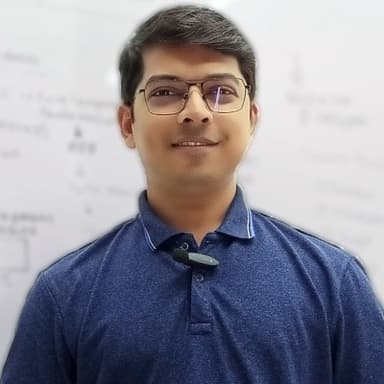
Shrenik Shah
Principal Trainer
Cloud and AI architect who has upskilled over 5,000 engineers in Java, React, Python and cloud
- Python: Django, Flask, GenAI & agentic workflows
- Java & Spring Boot
- React & Angular, micro-frontend architecture
Running this for a team?
We deliver SkillLabs on site for institutions and engineering teams.
₹2,700
2 days · 16 hours